On-call is one of the most contentious aspects of engineering culture. In poorly run organisations, it is a source of burnout, resentment, and attrition. Engineers receive dozens of low-quality pages per week, many of which resolve themselves or require no action. Sleep is disrupted regularly. The same incidents recur because there is no time to fix root causes between the next page and the next. Eventually, good engineers leave.
In well-run organisations, on-call is manageable and occasionally interesting. Engineers are paged rarely, and when they are, it is for genuine problems that require their expertise. Runbooks exist for common failure modes. Escalation paths are clear. Post-incident reviews actually result in improvements. Being on-call is a rotation that carries some burden but is not a source of dread.
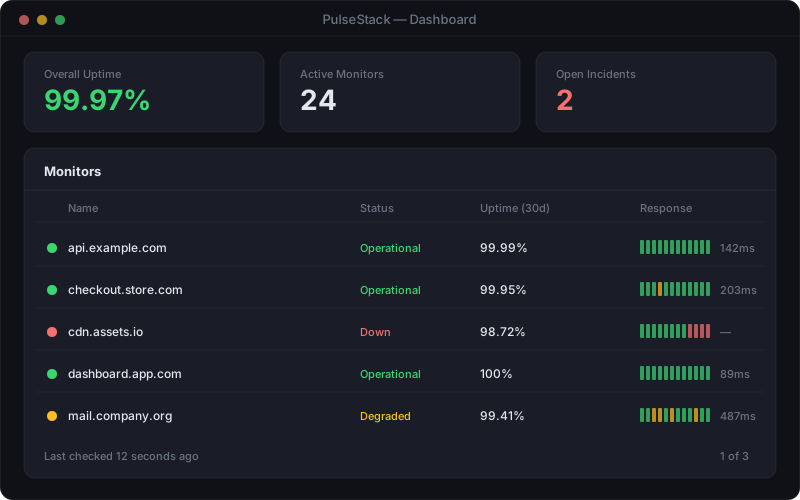
The difference between these two states is not company size, not budget, and not the sophistication of the monitoring tooling. It comes down to process discipline: the commitment to treating every unnecessary page as a bug to be fixed, and every incident as a learning opportunity. An effective website monitoring setup is the foundation, but the human systems built around it are what determine whether engineers are protected or overwhelmed.
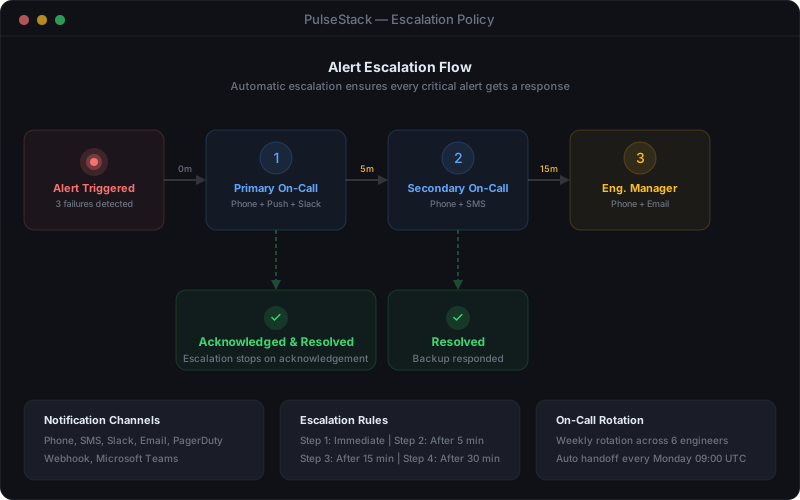
This guide covers the core components of a sustainable on-call programme: rotation design, runbook creation, escalation policy, metrics, and post-incident review. Implement these practices and you will dramatically reduce the burden on your team while improving your organisation's ability to detect and respond to genuine incidents.