Guide24 August 2026· 10 min read

Domain Expiration Monitoring: How to Never Lose a Domain Again

The Outage Nobody Plans For

Most outages are technical. A server runs out of memory, a deployment goes wrong, a database locks up. They are unpleasant, but they are the kind of problem engineering teams are equipped to solve, and they usually last minutes or hours.

An expired domain is a different species of failure entirely. Nothing has broken. The servers are healthy, the application is running, the database is fine, and every dashboard is green. The site is simply unreachable, because the name that points to it has stopped resolving. Email stops arriving at the same moment, which means the alerts telling you something is wrong may not reach anybody either, and the password reset link you need to get into the registrar account goes to an address that no longer exists.

The recovery is not a technical fix. It is an administrative process involving a registrar, possibly a payment method that expired eighteen months ago, possibly a former employee's account, and in the worst cases a redemption fee measured in hundreds rather than the ten or twenty pounds the renewal would have cost. Outages that would take ten minutes to fix in code routinely take two or three days to fix at a registrar.

The frustrating part is that this is the single most predictable failure in all of infrastructure. Every domain has a known expiry date, published in a public record, available months in advance. There is no excuse for being surprised by it, and yet it happens to serious companies several times a year. This guide covers why it happens, what actually occurs after a domain lapses, and how to build monitoring that makes the whole category of failure impossible.
Why Auto-Renew Is Not the Safety Net You Think

Almost every team that loses a domain had auto-renew switched on. That is not an exaggeration or a rhetorical device: auto-renew being enabled is the reason nobody was watching. It creates the belief that the problem is handled, which removes the one thing that would have caught it.

Auto-renew fails for reasons that have nothing to do with the setting itself:

  • The stored payment card expired or was replaced. This is the single most common cause. Cards are reissued every three years, and a domain registered four years ago on a card that has since been replaced will attempt a charge that quietly declines.
  • The renewal charge was declined for another reason: a fraud block on an unfamiliar merchant, an exhausted credit limit, a bank flagging an overseas transaction, or a company card that was cancelled when someone left.
  • The registrar account belongs to a person who has left. Agencies, contractors, and former developers hold a surprising share of the world's business-critical domains. When their email stops working, so do the renewal notices.
  • Renewal notices go to an address nobody reads. A distribution list that was decommissioned, an inbox belonging to a team that no longer exists, or a spam folder.
  • Auto-renew was never actually enabled on that domain. It may be on for the main domain and off for the redirect domain, the campaign domain, or the country variant registered separately three years ago.
  • The registrar suspended the account over an unrelated billing dispute or an unverified WHOIS contact, which under ICANN rules can suspend a domain entirely.
  • The domain was transferred to a different registrar and the auto-renew setting did not follow it, which is common and rarely noticed.

Every one of these failures is silent. The registrar will send emails, but the emails go exactly where the problem already is. Auto-renew is worth having, but it is a convenience feature, not a control. The control is an independent check that reads the public expiry record and tells you what it says, regardless of what any setting in any account claims.

What Actually Happens After a Domain Expires

Understanding the timeline matters, because it determines how much warning you need and how expensive a mistake becomes at each stage. The exact durations vary by registrar and by top level domain, but the shape is consistent for most generic TLDs.

  1. Expiry date. The domain lapses. Some registrars stop resolution immediately, others let it run for a day or two. Many replace the site with a parking page carrying advertising, which is its own kind of brand damage.
  2. Grace period, roughly 0 to 30 days. You can usually renew at the normal price. This is the window where a mistake costs nothing but embarrassment. Email and web are typically already down.
  3. Redemption period, roughly 30 to 60 days. The domain is removed from the zone and can only be recovered by paying a redemption fee, commonly between 80 and 250 pounds on top of the renewal. Recovery is manual and can take several days.
  4. Pending delete, roughly 5 days. Nothing can be done. The domain is queued for release and cannot be renewed or recovered at any price.
  5. Release. The domain becomes publicly available and is very often registered within seconds by an automated drop-catching service that monitors exactly this queue. Established domains with backlinks and traffic are valuable, and buying yours back afterwards, if it is even offered, is a negotiation rather than a purchase.
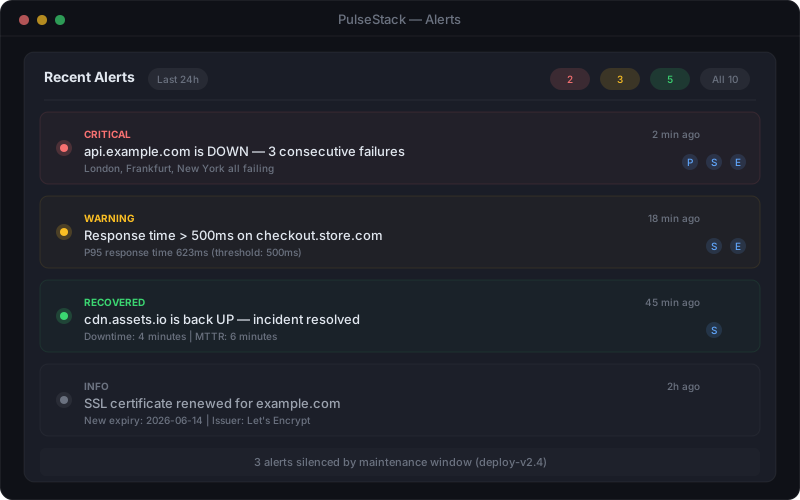
PulseStack expiry monitoring panel showing domains and certificates with days remaining until expiry and colour coded warning states
Expiry monitoring turns a date buried in a registrar account into a visible countdown

Two details are worth knowing. Country code domains do not always follow this pattern: some have shorter grace periods, some have none, and a few can be deleted far faster than the generic timeline suggests. And a domain that reaches redemption has usually been down for a month already, which means the practical deadline is not the deletion date at all. It is the expiry date, and everything after it is damage control.

Losing a domain also carries consequences that outlive the recovery. Search engines de-index a site that stops resolving, and rankings built over years do not return immediately when the domain does. Inbound links continue pointing at whoever holds the name next. Email sent to your former address may be received by a stranger. The true cost of downtime is high for an hour of ordinary unavailability, and a domain lapse is measured in days.

What to Monitor Beyond the Expiry Date

The expiry date is the headline, but the public registration record contains several other fields that change silently and matter enormously. A proper domain monitor watches all of them and alerts on change, not just on approaching dates.

  • Expiry date. The obvious one. Worth alerting on a schedule rather than once, and worth checking that a renewal you believe happened actually moved the date forward.
  • Registrar. An unexpected change of registrar is one of the clearest signals of an unauthorised transfer. Legitimate transfers are planned; unplanned ones are an incident.
  • Nameservers. If the authoritative nameservers change without a corresponding change ticket, either something was reconfigured by mistake or the domain has been hijacked. This is the fastest route to traffic being redirected somewhere you do not control.
  • Domain status codes. The EPP status flags in the registration record tell you a great deal. clientTransferProhibited means the registrar lock is on, which is what you want. Its disappearance means the lock came off, which nobody does by accident. clientHold or serverHold means the domain has been removed from the zone and the site is already dark. pendingDelete and redemptionPeriod speak for themselves.
  • Registrant and administrative contacts. Where these are visible, a change is worth reviewing. Where they are hidden behind privacy protection, at least confirm that the protection is still enabled.
  • DNSSEC state. If you use DNSSEC, its unexpected removal or a key mismatch can break resolution for a subset of users in a way that is genuinely difficult to diagnose from the inside.
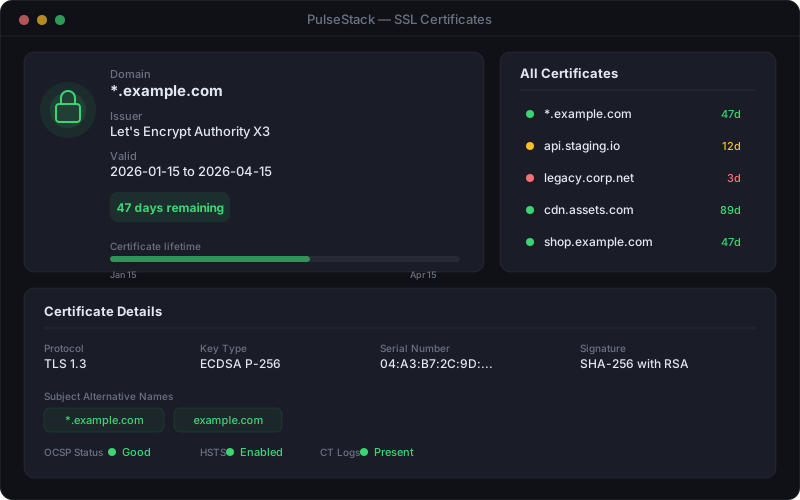
PulseStack monitor configuration screen showing a domain expiry check with alert thresholds and notification recipients
A domain monitor is configured once and then quietly reads the public record on your behalf

Domain monitoring sits alongside two neighbouring checks that fail in similar ways and should be treated as one family. Certificates expire on a much shorter cycle, typically 90 days for automated issuers, and an expired certificate produces a full browser interstitial that stops traffic dead. Certificate monitoring covers that in detail. DNS configuration can break independently of the registration itself, and DNS monitoring best practices covers record level checks, propagation, and hijack detection. A domain check, a certificate check, and a DNS check together cover the entire naming layer that every other piece of monitoring quietly assumes is working.

Building an Inventory of Every Domain You Own

You cannot monitor a domain you have forgotten about, and the domains that lapse are almost never the primary one. They are the ones on the edges of the estate: the typo variant bought defensively, the country domain registered for a campaign that ended, the short URL used in printed material, the domain acquired with a company nobody has audited since.

Building the inventory is a one-off exercise that pays for itself the first time it catches something:

  1. List every registrar account. Start with billing. Search finance records for registrar names and domain related charges going back three years. Domains registered by individuals on personal cards are extremely common and never appear in a central list.
  2. Export every domain from every account. Most registrars offer a CSV export including expiry dates and auto-renew status.
  3. Add domains you use but do not hold. A domain managed by an agency, a partner, or a client is still an outage waiting to happen if it lapses, and you may be the only party actually watching.
  4. Record what each domain does. Primary site, email, redirect, campaign landing, brand defence, or unused. This determines how much noise a failure creates and therefore how urgently anyone needs to be woken.
  5. Record who owns it internally. A named person, not a department. Domains without an owner are the ones that lapse.
  6. Note the registrar lock state and the auto-renew state, and fix any that are wrong while you are already looking.

Two structural improvements are worth making at the same time. First, use a role based email address for every registrar account rather than an individual's mailbox, and make sure the address is on a domain you did not register at the same registrar, so an expiry cannot take out the notifications about the expiry. Second, consider consolidating: multiple registrars means multiple accounts, multiple payment methods, and multiple opportunities for one of them to fail unnoticed. Consolidation is not always practical, but every account you remove is one fewer silent failure path.

Finally, for anything genuinely business critical, register long. Renewing for five or ten years at once does not remove the need for monitoring, but it removes four or nine annual opportunities for a declined card to take your company offline.

An Alerting Schedule That Gives You Months, Not Hours

Certificate alerts are usually set at 30, 14, and 7 days, which suits a 90 day renewal cycle handled by automation. Domains need a much longer runway, because the fix involves a payment method, a registrar account, and often a person who is on holiday.

A schedule that works in practice:

  • 90 days out. A low priority notification to the domain owner and to a shared channel. Purpose: confirm the domain is still wanted, confirm the payment method on file is current, and confirm auto-renew is genuinely enabled at the registrar rather than assumed.
  • 60 days out. A second notification if the expiry date has not moved. This is the point at which a transfer, if one is needed, can still be completed comfortably.
  • 30 days out. Escalate beyond the owner to a manager or a second named person. At this stage the assumption should be that the owner has not seen the first two alerts.
  • 14 days out. Treat as an incident with a ticket, an assignee, and a due date. Someone should be logging into the registrar and confirming what they see, not replying that it is handled.
  • 7 days and daily thereafter. High priority, routed the same way as a production alert. A week from an outage that will take days to reverse justifies waking somebody.
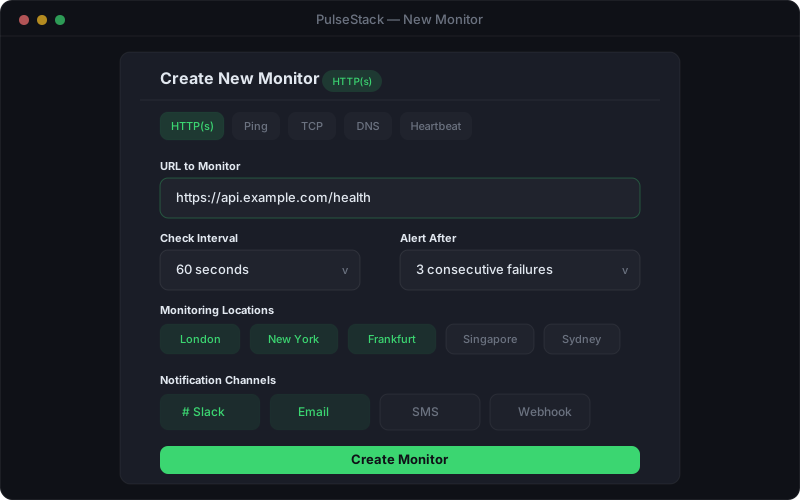
PulseStack alert notification panel showing domain expiry warnings at escalating severity with recipients and delivery channels
Escalating severity as the date approaches, so an ignored email becomes a phone call before it becomes an outage

Route these alerts somewhere other than email alone, and specifically somewhere other than email on the domain being monitored. A Slack channel, a webhook into your ticketing system, or SMS for the final stages. The failure mode you are guarding against is precisely the one where email stops working, so an alerting chain that depends on the affected domain has a hole in exactly the wrong place.

Keep the early alerts deliberately low priority. A 90 day warning that pages someone at 3am teaches the team to filter domain alerts, and once filtered they stay filtered through the 14 day warning too. The whole point of a graduated schedule is that severity rises with genuine urgency, which is the same principle behind avoiding alert fatigue anywhere else in your monitoring.

Verification, Locks, and Ongoing Hygiene

Monitoring tells you when something is wrong. A few habits stop things going wrong in the first place, and they take an hour a year.

Verify that renewals actually happened. The most useful property of an independent expiry check is that it reads the public record rather than a confirmation email. A renewal that failed to process still generates an optimistic looking screen at the registrar, but the public expiry date does not move. If the date has not advanced within a day or two of a renewal, treat it as unrenewed.

Keep the registrar lock on. The clientTransferProhibited status prevents a transfer being initiated without explicitly unlocking first. It costs nothing, it is on by default at most registrars, and its removal should be an alert in its own right. For high value domains, registry level locks offer a stronger version that requires manual verification by the registry to change anything.

Protect the registrar account like production infrastructure. Two factor authentication, unique credentials in a shared password manager rather than one person's browser, and a documented recovery path that does not depend on an email address at the domain itself. Registrar account compromise is one of the highest impact attacks available against a business, because it hands over the domain, the email, and by extension the ability to reset passwords almost anywhere else.

Review contacts annually. ICANN requires accurate registrant contact details for generic TLDs, and an unverified or bouncing contact address can trigger suspension of the domain regardless of whether the renewal was paid. An annual check of contact details on every domain removes an entire failure mode that has nothing to do with money.

Include domains in offboarding. When someone leaves, the checklist covers their accounts and their access. It should also cover any domain registered in their name or on their card, because that is the exact moment a domain quietly becomes unmanaged.

None of this is difficult, and all of it competes for attention with problems that feel more urgent. That is the reason domains lapse: not because anyone decided the risk was acceptable, but because the deadline was invisible until it had already passed. Monitoring makes it visible, and visibility is the whole fix.

PulseStack watches domain expiry alongside SSL certificates, DNS records, and uptime, with graduated alerts that escalate as the date approaches and notifications routed to channels that keep working when email does not. See how domain expiration monitoring works, pair it with SSL monitoring and website monitoring for full coverage of the naming layer, or compare plans to get started.

Start monitoring your infrastructure today

50 free monitors, no credit card needed. Set up in under 30 seconds.

Get started free